


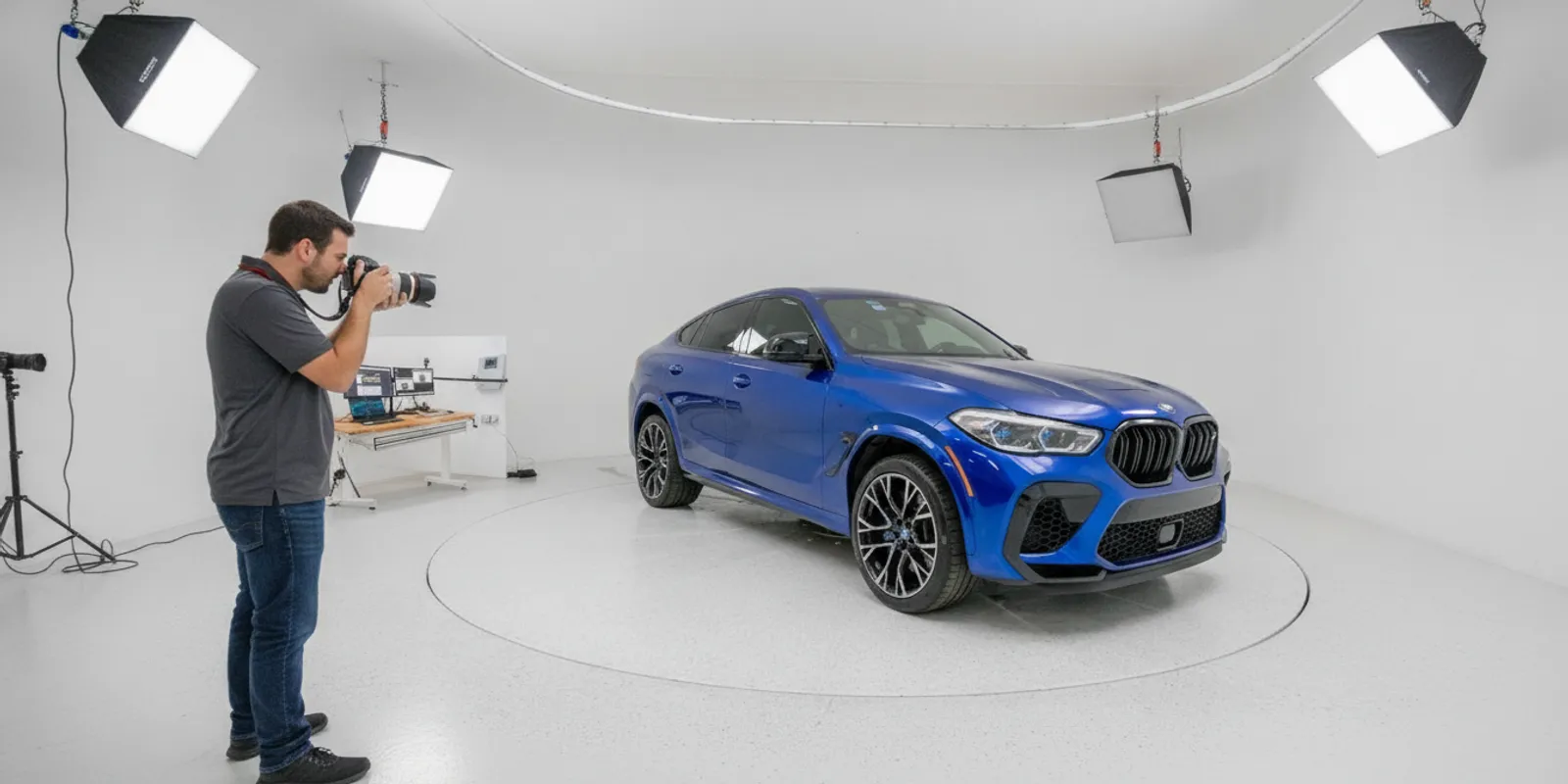
Car dealership photography is a workflow decision, not just a camera decision. Dealership owners and group operators need a dependable way to create useful vehicle images, keep listings consistent, and move media from capture to the right inventory page. The best fit depends on volume, available space, staff responsibilities, and how each vehicle will be presented online.
Call to discuss your dealership’s imaging workflow
What should car dealership photography show?
A listing should help a shopper inspect the vehicle without guessing what the photos leave out. Before choosing a system, define the image set your team expects for every vehicle. A practical list might include front, rear, side, and three-quarter exterior views; a clear cabin view; and closeups of features or condition details that matter for that specific vehicle.
Decide which formats have separate jobs. A 360-degree spin can make it easier to inspect the exterior from different angles, while interior panoramas and detail photos provide views that a spin may not cover. A walkaround video is another format, not automatically a substitute for stills or a spin. Write down what the shopper should be able to see in each format and which staff step produces it.
Consistency means more than matching the number of pictures. Similar framing, vehicle position, background, and image sequence make inventory easier to browse. Across multiple rooftops, a shared capture checklist gives operators a common standard and gives managers something concrete to review. It can also expose when differences come from the process rather than the vehicle or camera.
Which capture approach fits the dealership?
Dealers commonly evaluate a controlled studio workflow alongside a walkaround capture workflow. A studio can coordinate lighting, camera control, and vehicle rotation in a designated space. It may suit a dealership or group seeking a repeatable capture environment, provided the site and operating plan fit the installation.
A walkaround workflow records a person moving around a stationary vehicle with a camera or phone. Software may process the recording into images or a 360 presentation, depending on the product and capture. It can be worth evaluating when a dedicated studio is impractical, but capture conditions and operator technique still matter. Neither approach should be assumed to deliver identical inputs or outputs.
| Decision point | Studio workflow | Walkaround workflow |
|---|---|---|
| Capture setting | Designated space with planned lighting and vehicle position | Available indoor or outdoor area; conditions may vary |
| How views are made | Equipment can coordinate the camera and vehicle rotation | Operator moves around the vehicle during recording |
| Staff steps | Staff operate the process and still capture interior and detail images | Staff record the walkaround and review the processed media |
| Planning emphasis | Room, access, installation, throughput, and publishing | Capture consistency, light, recording, processing, and publishing |
EZ360 presents its automated 4K Photo Studio and CarMagic AI walkaround software as distinct offers. The studio process is not unattended: an operator still captures interior panoramas and detail photos. The company’s CarMagic AI walkaround page describes a separate software workflow. Compare the responsibilities and deliverables for the specific setup under consideration instead of treating software and studio equipment as interchangeable.
How can a dealer make the process repeatable?
Start with a short written sequence that an operator can follow during a busy inventory day. Identify where vehicles are staged, which views are mandatory, who captures the interior, and who checks the finished media. Use sample images to show acceptable framing, rather than relying only on phrases such as “take a good side shot.”
- Prepare the vehicle and space. Make sure the vehicle is ready for imaging and that the planned capture area is clear. Confirm the vehicle can be positioned safely for the chosen process.
- Capture the exterior in order. Use the same sequence and framing guidance from vehicle to vehicle. If a walkaround is used, establish a steady route and consistent distance rather than improvising each time.
- Complete interior and detail views. Assign these images explicitly. Automation does not mean that every useful view is created without an operator.
- Review the set. Look for missing angles, distracting backgrounds, inconsistent framing, and details that are hard to see. Re-capture before the vehicle moves on if possible.
- Publish and verify. Confirm the images belong to the correct inventory record and display in the intended order on the vehicle detail page.
Test that sequence with a representative group of vehicles, not just one easy example. Include different sizes, paint finishes, and cabin layouts. Record where staff need to repeat a step, where lighting affects the result, and which images are often missed. A small checklist revision after the test can prevent the same avoidable gap from appearing in dozens of listings.
For a group, compare samples from more than one rooftop. If one location produces a different result, check whether the cause is equipment, staging, instructions, staff coverage, or the publishing handoff. Document the agreed standard and name who reviews exceptions. A process that works at one store may need adjustments for a different room or inventory routine.
What should group operators assess before choosing?
Map the current process before comparing feature lists. Note the number of vehicles each location images, who performs each task, how long vehicles wait between steps, and where files go after capture. Include the responsibilities for training, space preparation, equipment operation, quality review, and publishing. These details make it easier to compare complete workflows rather than a single headline capability.
For a studio, review room dimensions, ceiling and lighting conditions, vehicle access, and the expected operating sequence. EZ360 describes installations in rooms as small as 24 × 27 feet, but that is an example, not a universal minimum or a promise that a particular facility is suitable. Ask for a site-specific assessment. For walkaround capture, test in the conditions staff will actually encounter, including changes in available light and space.
- What hardware, software, installation, and training are included in the proposed configuration?
- Which media requires a separate staff action, such as an interior panorama or detail shot?
- How are images reviewed, managed, and attached to inventory?
- Which inventory or website connections are supported for your actual setup, and who will verify them?
- How will each rooftop use the same capture standard, and who owns quality checks?
- What support, warranty, and facility responsibilities apply to the specific configuration?
Keep estimates distinct from quoted costs. EZ360’s studio material describes a modeled operating cost under $7 per VIN, including labor, at an assumed volume of 200 VINs per month. That is a seller model tied to its stated assumptions, not a universal fee or guaranteed saving. When reviewing any cost comparison, ask which labor, volume, facility, and operating assumptions it includes, then compare those inputs with your own process.
For a useful evaluation, ask operators to complete the whole route: capture a vehicle, add required interior and detail media, review the output, and check the published listing. Have a manager inspect the shopper-facing experience rather than relying only on a demonstration screen. Keep a record of unresolved questions about site readiness, system compatibility, project scope, or recurring work so they can be answered before a decision.
How should leaders judge the published images?
Review a sample listing from the perspective of someone deciding whether to contact the dealership. Can the viewer identify the vehicle’s shape and see the cabin? Are the images in a predictable order? Do reflections, clutter, or uneven framing distract from the subject? Are details presented clearly without implying that a photograph can replace an in-person inspection?
Keep descriptions and images accurate. The Federal Trade Commission’s consumer protection resources provide a starting point for understanding the agency’s role in truthful marketplace practices. For a dealer’s specific advertising obligations, consult appropriate legal or compliance guidance; a general photography workflow is not a substitute for that review.
Use the review to distinguish a capture issue from a publishing issue. If a required view was never photographed, the capture checklist needs attention. If the files exist but are attached to the wrong listing or appear in an unexpected order, the handoff or inventory process needs checking. Assigning each issue to its actual step helps teams improve without blaming the camera or operator for every failure.
What should a pilot measure?
Set a few practical checks before a demonstration so the team can compare options on the same basis. Count whether the required views are present, note the number of operator handoffs, and record where media needs correction or rework. Track the path from vehicle readiness through publishing, including pauses caused by room access, staff availability, or a file-management step. These observations are useful even when a pilot is small; they show which parts of the process deserve a closer question.
Use the same sample vehicles and image checklist for each approach being evaluated. Ask the people who would operate the system to perform the work, then have a manager check the final listing. For group decisions, preserve examples from each location and compare them against the agreed standard. This makes a buying discussion more specific: instead of asking whether a solution is simply “fast” or “consistent,” the team can point to a missing view, an extra handoff, or a facility constraint that needs resolution. See the walkaround software details when considering that capture path, and confirm the exact workflow and configuration with the vendor.
What should dealership leaders take away?
Strong car dealership photography comes from a repeatable capture and publishing process, not one feature in isolation. Define the views shoppers need, match studio or walkaround capture to the dealership’s space and staffing, and test the complete workflow with real inventory before expanding it across rooftops. For a closer look at the software path, review the CarMagic AI walkaround workflow and confirm how it fits your required media and publishing steps.
Call to discuss your dealership’s imaging workflow
A clear standard gives managers a practical way to evaluate image quality, staff effort, and the route from vehicle staging to a verified listing.
