


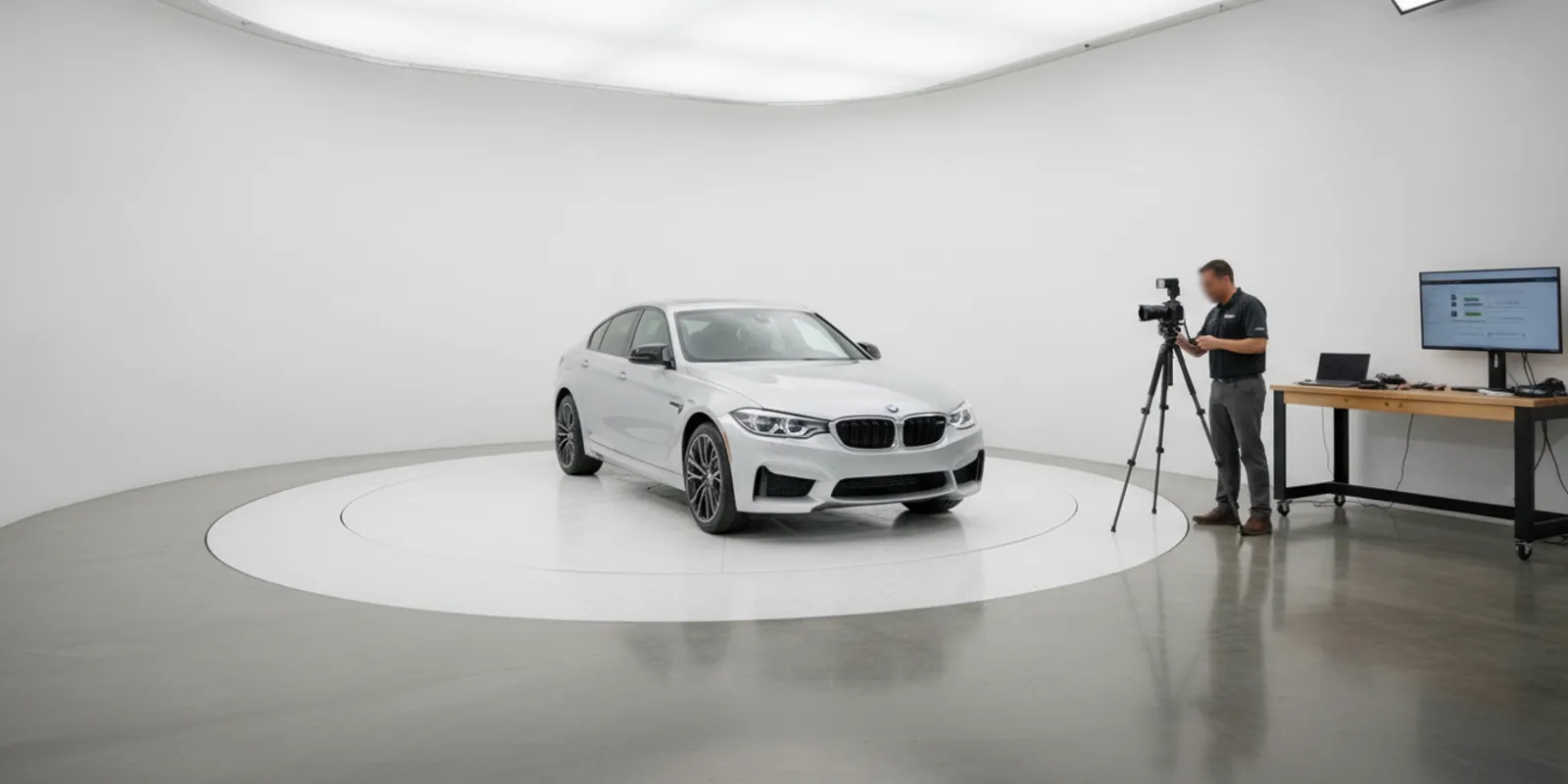
Online dealership vehicle media is more than a set of listing photos. For a dealer or group operator, it is a repeatable way to capture, prepare and present inventory so each vehicle has the useful visual information shoppers need, wherever the listing appears. The right workflow depends on vehicle volume, rooftop consistency, staff capacity and available space.
Talk through your inventory media workflow
What should online vehicle media include?
Start by defining the job the media must do. A listing needs clear exterior photographs, useful interior and detail images, and—when it supports the merchandising plan—a way for a viewer to inspect the vehicle from multiple angles. The media also needs to be presented reliably on the dealership’s vehicle detail pages and other listing destinations.
These elements are related, but they are not interchangeable. A sharp exterior photo helps identify the vehicle and communicate its condition. Interior views show the cabin and controls. Close-ups make specific details easier to review. A 360 spin adds a continuous exterior view, but it does not replace well-framed still photographs or interior capture. The display is the final step: even useful media needs to load and appear in a way that is easy to navigate.
For a multi-rooftop group, consistency matters alongside image quality. Decide what views each vehicle should have, how staff will capture them, what quality checks apply, and how the finished media moves into the listing workflow. The aim is not to force every store into identical equipment. It is to establish a shared baseline while allowing for differences in facility, inventory and staffing.
How do the parts of the workflow fit together?
Think of the process as five connected stages. Each stage has a separate owner or decision, even when software or equipment automates parts of the work.
- Prepare the vehicle. Coordinate with reconditioning and merchandising staff so the vehicle is ready to photograph. Set expectations for cleanliness, staging and movement into the capture area.
- Capture the base set. Photograph the exterior and interior, then add detail views that match the dealer’s listing standard. A consistent camera position, vehicle placement and lighting plan make images easier to compare across inventory.
- Create additional views. If an exterior spin is part of the listing package, capture the source material and check that the finished rotation is steady and complete. Keep spin requirements distinct from the still-photo checklist.
- Review and process. Check for missing views, distracting reflections, inconsistent framing or an incorrect vehicle record. Image processing can assist with presentation, but it should not conceal information buyers need to assess the vehicle.
- Publish and verify. Confirm the approved media is attached to the correct inventory record and appears as intended on the dealership’s listing page. Define who resolves a missing image, wrong stock association or display issue.
This process makes handoffs visible. If a vehicle is delayed, the team can identify whether the hold-up is preparation, capture, review or publishing instead of treating “photos” as one undifferentiated task.
Which capture approach fits the dealership?
Dealers can use staff-operated cameras and a defined process, purpose-built studio equipment, or software that processes a walkaround video. Those paths solve different problems. Compare the whole capture and publishing workflow rather than assuming one tool does every job.
| Approach | What it supports | Questions for the buyer |
|---|---|---|
| Staff-operated camera process | Still photos, interior views and details, using dealership equipment and a documented shot list. | Can staff keep framing and coverage consistent across shifts? Who checks completeness and uploads the set? |
| Automated photo studio | Controlled capture conditions and repeatable vehicle photography in a configured space; the studio workflow still requires an operator for interior panoramas and detail photos. | Does the facility have suitable space and throughput? What is included in the proposed configuration, installation and training? |
| Walkaround-video imaging software | Processes a recorded walkaround into vehicle imagery and a 360 exterior spin, according to the software’s supported workflow. | Can staff record a usable video consistently? Which final media types, processing steps and publishing handoffs are included? |
| Turntable-based capture | Rotates a vehicle for a controlled multi-angle presentation and can be part of a broader studio setup. | What vehicle size, facility layout, camera arrangement and operating steps does the proposed system require? |
EZ360 presents these as distinct offerings rather than one combined product. Its CarMagic AI walkaround software page describes processing a short walkaround video into a stabilized 360 spin and 4K exterior images. The same page is presented under the SpinSmart URL, so confirm current naming and package details when evaluating an offer. This software path is not the same as a studio installation or a physical turntable.
An automated studio is a different choice for a dealership seeking a controlled capture environment. EZ360 describes its automated 4K photo studio as a hardware-based setup; an operator still captures interior panoramas and detail images. A heavy-duty EZTurn turntable is a separate equipment option that may integrate with a studio. Review each product’s scope separately rather than treating hardware, processing software and publication as a single default package.
How can a dealer group keep media consistent?
Consistency begins with a standard that staff can follow and managers can inspect. A short operating guide should describe the required views, the capture sequence, image-quality checks, file or inventory matching, and the escalation path for exceptions. Use examples from the dealer’s own listings to show what an acceptable exterior set, interior view and detail photo look like.
Then decide which parts should be identical at every rooftop and which can vary. A group might standardize required views, naming conventions, review criteria and publishing checks while permitting each store to use a different capture setup. If one rooftop uses a controlled studio and another records walkaround video, the final media standard can still align—but the capture instructions and staff steps will differ.
- Set a minimum media package. Specify the exterior angles, interior coverage, details and optional spin expected for each listing type.
- Assign ownership. Make clear who prepares the vehicle, captures media, checks quality and confirms publication.
- Use an exception process. Document how staff handle unusual vehicle dimensions, unavailable features, weather constraints or a vehicle that cannot be staged as planned.
- Review actual listings. Sample vehicles from each rooftop and check both the media set and its display on the listing page.
- Revisit the standard. Update it when the inventory mix, staffing, systems or merchandising priorities change.
These steps make it possible to identify whether a mismatch comes from capture, processing or publication. They also give group leaders a practical way to compare stores without assuming that every rooftop has the same staff, facility or equipment.
What should operators check before choosing a system?
A system decision should start with the operating constraints, not a feature list. Estimate the number of vehicles that need media, the hours and staff available for capture, the space that can be committed, and the listing systems involved. The advertised starting prices are not complete installed quotes: EZ360 lists its studio from $49,950, an 18-foot EZTurn at $24,900, and CarMagic AI walkaround software as low as $95 per month. Configuration and commercial terms need to be confirmed for the dealership’s situation.
Ask vendors to explain what is included and what remains a staff task. For a studio, clarify the proposed layout and capture steps, as well as the scope of shipping, installation and training for that configuration. For software, ask what source recording is required, which outputs are produced, how a user reviews them, and how media reaches the dealership’s listing workflow. For a turntable, confirm the equipment dimensions and operating requirements relevant to the site.
Do not compare an advertised entry price for one product with a complete installed system for another. Nor should a modeled per-vehicle estimate be treated as a quoted fee or guaranteed saving. Build the comparison from the same inputs: expected inventory volume, labor time, equipment or subscription scope, facility needs, ongoing review and the publishing process. Ask for assumptions in writing and separate confirmed capabilities from items that depend on configuration.
How should the finished media be presented?
Presentation should help a viewer move from the main exterior view to the information that answers practical questions. Keep the lead image clear. Make the still-photo sequence orderly, include interior and detail views where appropriate, and put any spin or interactive display where it is easy to find. Avoid treating a larger number of files as proof of a better listing; coverage and usability matter more than an inflated count.
Establish a basic review on both sides of the workflow. Before publication, check image clarity, framing, vehicle-record matching and the completeness of the required views. After publication, open a sample listing on the dealership’s actual page and confirm the images and any interactive presentation render as expected. A media set can be captured correctly but still fail the job if it is linked to the wrong vehicle or does not display properly.
Dealer groups can also use a shared review cadence. For example, managers can sample a small set of newly published listings from each rooftop and record recurring issues. Keep this as an operational check, not a claim that any particular media format guarantees additional views, leads or sales.
Questions to settle before a consultation
Before reviewing a new workflow, gather a few facts that make the conversation concrete:
- How many vehicles does each rooftop photograph in a typical month, and how does volume vary?
- Which images and interactive views are required for the group’s listings today?
- Where does capture occur, and what constraints affect space, vehicle movement or weather?
- Who handles exterior capture, interior panoramas, details, quality review and publishing?
- Which inventory or website handoffs must the proposed workflow support?
- Which issues are most costly operationally: inconsistent sets, staff capacity, capture conditions, rework or delayed publication?
For a broader dealer-industry resource, see the National Automobile Dealers Association. For a product-specific discussion of how walkaround software may fit a dealership’s media process, review EZ360’s CarMagic AI information and confirm the current offer and scope directly.
Book a call to discuss your dealership’s media workflow
Frequently asked questions
Is a 360 spin a substitute for listing photos?
No. A spin provides a different way to inspect the vehicle’s exterior. It does not replace clear still images, interior views or close-ups that communicate specific details.
Does automated studio capture eliminate staff work?
No. A studio can support repeatable capture in a configured space, but an operator still performs tasks such as interior panorama and detail photography. Confirm the staff steps for the particular setup.
Can a dealership group use different equipment at different rooftops?
Yes, the group can define a shared media standard while allowing capture methods to vary by location. The shot requirements, quality checks and publishing responsibilities should remain clear across the group.
What is the first step in comparing media workflows?
Document the current process from vehicle preparation through published listing, including who owns each handoff. That baseline helps a dealer compare proposed equipment or software against the real operational need.
A practical online vehicle-media workflow connects consistent capture with useful presentation and a verifiable publishing process, while keeping the limits and staff responsibilities of each tool clear.


