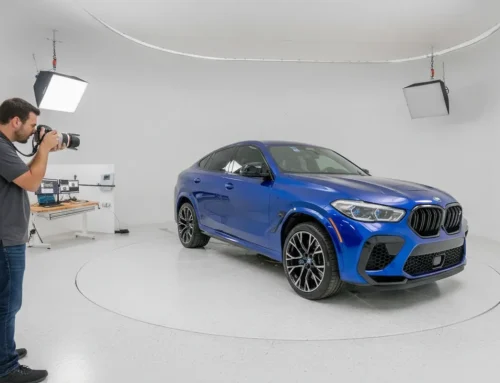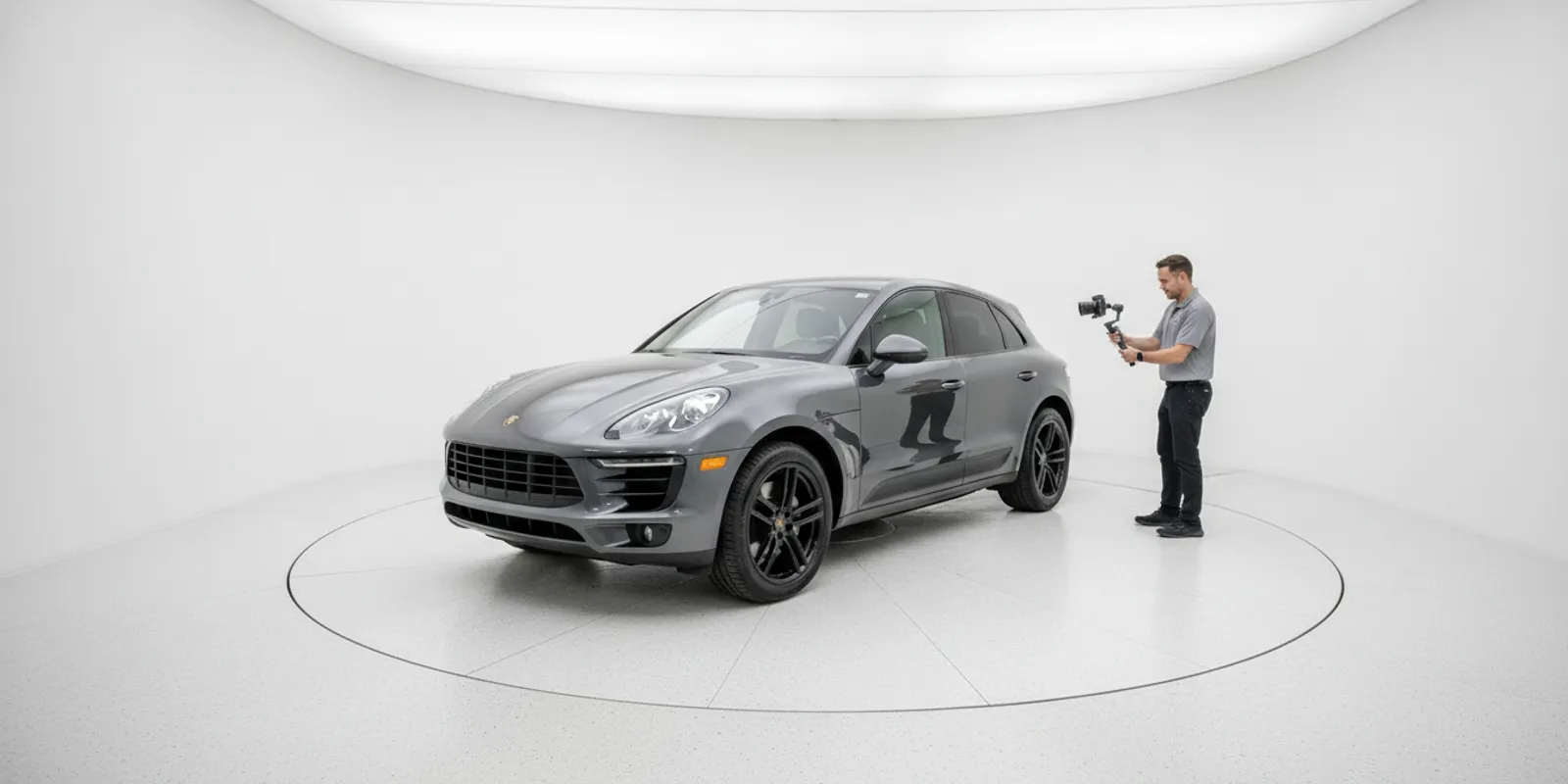
Dealership leaders asking what AI solutions are available to enhance vehicle images and create 360-degree views for online listings should begin with the capture method. Some tools process a video walkaround; others edit existing photos; a dedicated studio combines controlled lighting, camera control, and a turntable. The right choice depends on facility space, inventory volume, image standards, and the work your staff can repeat.
Explore AI walkaround processing
What kinds of AI solutions can support vehicle listings?
There are three broad approaches to compare. They can complement one another, but they do not start with the same input or solve identical operational problems.
| Approach | Starting point | Questions to evaluate |
|---|---|---|
| AI walkaround processing | Video recorded around a vehicle | Capture routine, spin smoothness, still selection, output and publishing handoff |
| Image enhancement software | Existing vehicle photos | Color fidelity, backgrounds, glare, edges and review controls |
| Automated photo studio | Vehicle in a controlled capture space | Facility fit, lighting, operator tasks, throughput and media delivery |
Software can transform source media, but it cannot remove the need for an adequate capture and a review process. A studio is a physical capture setup as well as a workflow choice. Keep the two categories distinct when comparing proposals.
How does an AI walkaround create a 360 view?
In a walkaround workflow, a staff member records a steady video around the vehicle. EZ360 describes CarMagic AI on its CarMagic AI and SpinSmart page as processing a short walkaround into a stabilized 360 spin and 4K stills, with background changes and hotspots also described. These are company-described capabilities. Ask for a current demonstration to confirm the input, output, and included functions for the offer being considered.
Before choosing this route, test the capture routine on representative inventory. Include different body styles, paint finishes, lot positions, and lighting conditions. Check whether staff can consistently record usable footage and whether the resulting spin shows the vehicle clearly from each angle. A single polished sample does not establish how the process works across a normal week.
Test the capture and review steps
- Ask how far from the vehicle the operator should walk and how quickly.
- Try reflective paint, shadows, uneven pavement, and changing daylight.
- Check whether staff can review selected stills and replace an unsuitable frame.
- Confirm output formats and how media reaches the dealership’s inventory and website workflow.
- Clarify whether interior images require a separate capture process.
Walkaround processing can be worth evaluating when a dealer wants to avoid a dedicated imaging room. It still depends on a repeatable operator routine and source footage. Do not assume outdoor footage will match controlled studio capture under every condition.
Build a short capture checklist for the pilot. Start with a clean vehicle, choose a location with enough room to walk safely, and agree on a consistent route around the vehicle. Keep the camera movement smooth and avoid abrupt pauses or changes in distance. Have the operator record a second take when part of the vehicle is blocked or the path is interrupted, rather than expecting software to repair missing views. Test the routine with a sedan, a larger vehicle, and one with reflective paint or accessories. Those examples expose different framing and reflection challenges.
What can image-enhancement tools change?
Depending on the product, image tools may refine photos after capture through background replacement, glare handling, color adjustments, or sharpening. Those edits are useful only when they preserve a credible view of the vehicle. A listing image should not hide damage, alter an actual vehicle feature, or mislead a shopper about its appearance.
Compare original and processed images side by side. Inspect paint tone, glass and chrome reflections, wheels, shadows beneath the vehicle, and edges around mirrors and rooflines. Test interior images too if the tool is expected to handle them. Ask who reviews an incorrect edit and how staff can request a correction.
Use a simple review log during a pilot. For each issue, note the vehicle type, original capture conditions, the output that failed, and what correction was needed. If several images show the same edge artifact, the team can investigate whether the source framing or the processing setting is responsible. If color looks different under one lighting condition, capture additional examples before deciding whether the issue is systemic. This turns subjective reactions into specific questions the vendor can address.
EZ360 describes EZSmart separately from CarMagic AI, with different image-processing capabilities. Do not assume similarly branded tools share a plan, price, or feature set. Ask the vendor to map each named product to its current deliverables and commercial terms.
When should a dealer consider a controlled photo studio?
A studio uses a dedicated capture environment instead of relying only on a lot walkaround. EZ360 describes its automated 4K photo studio as combining lighting, camera control, and a turntable. Staff still perform tasks such as interior panoramas and detail photos. A controlled setup may be relevant when repeatable conditions across vehicles and rooftops matter, but the facility, throughput, and operator responsibilities need to be assessed for each location.
- Facility: Measure the proposed room and identify access, ceiling, power, and vehicle-movement constraints.
- Volume: Estimate daily photography needs and allow for peak inventory periods.
- People: Define who moves vehicles, captures interiors and details, and checks finished media.
- Publishing: Confirm the path into the inventory manager and website. Request a demonstration of supported integrations rather than assuming compatibility.
- Economics: Compare the configuration and operating assumptions with your current workflow. A modeled cost is not a universal fee or guaranteed saving.
The studio page advertises packages starting at $49,950, while the homepage advertises an 18-foot EZTurn turntable at $24,900. These are advertised starting or product prices, not installed quotes or a complete price list. Request a configuration-specific quote and clarify what equipment, installation, training, warranty, and ongoing costs apply. The studio and turntable are distinct offers.
How should dealership groups compare the options?
Evaluate the workflow store by store before standardizing it. One rooftop may have space for controlled capture while another may need a walkaround process. A group should understand whether it can maintain an agreed listing standard across those differences, rather than forcing every location into one capture method.
For example, a group can define common requirements for exterior coverage, interior views, file delivery, and review while allowing each rooftop to use an appropriate capture setup. Compare a busy store’s peak-day workload with a smaller location’s usual volume. Record where vehicles queue, who is available to move them, and whether media review is centralized or local. This gives buyers a more realistic comparison than relying on a single average vehicle count or assuming every location has identical space and staffing.
- Set a media standard. Specify exterior angles, spin coverage, interior images, detail shots, background treatment, and acceptable image quality.
- Run a representative pilot. Include different vehicle types and locations. Have staff perform the proposed routine instead of relying only on a vendor demonstration.
- Measure the work. Record staff time, retakes, review effort, and the interval from capture to usable media. Keep assumptions visible.
- Test the handoff. Verify that files reach the systems your stores use and display correctly on the vehicle detail page.
- Compare total requirements. Include equipment, software, room changes, labor, training, support, and any per-vehicle charges.
Ask for a clear separation between hardware and software. A studio, a turntable, and AI walkaround processing address related but different capture needs. Review the CarMagic AI product details and ask which functions are included in the specific configuration being discussed.
How do you keep vehicle media accurate?
AI-assisted editing should support clear merchandising, not change facts about a vehicle. Establish review rules before rolling out a process across stores. Define what background changes and color adjustments are acceptable, and keep the vehicle’s real appearance recognizable. If an edit changes a feature shoppers use to assess condition, stop and correct it.
For a practical quality check, compare a sample of processed images with the original capture. Confirm that paint tone remains plausible, badges and trim are intact, and vehicle edges are clean. Review shadows and reflections. A polished background does not compensate for a distorted vehicle or an image that no longer reflects the inventory.
Decide who owns exceptions. If an automated output needs correction, staff need a clear way to flag it, replace it, or recapture the source. Track recurring issues by location and vehicle type. That can help distinguish a capture problem from local conditions, training needs, or a processing setting.
The Federal Trade Commission’s guidance on advertising and marketing on the internet explains that online advertising is subject to truth-in-advertising principles. For vehicle merchandising, a practical safeguard is to make sure edited listing media remains an honest depiction rather than implying a condition or feature the vehicle does not have.
What should you ask before selecting a solution?
Use a demonstration to test day-to-day use, not just the best-looking sample vehicle. Ask the vendor and your own team to walk through the entire process from source capture to published listing.
- What input does the system require: still photos, video, or both?
- Which outputs are automatic, and which still need a staff member?
- How are image edits and color fidelity reviewed?
- What happens when footage is incomplete or a vehicle has reflective paint or unusual accessories?
- How do hardware, software, and support terms differ by offer?
- What publishing formats and integrations can be demonstrated with your systems?
- What is included in the quote, and which assumptions affect the total?
Where possible, ask for a live test using representative inventory. It can reveal whether staff can follow the capture steps and whether the results meet the listing standard. For a broader planning comparison, review EZ360’s walkaround software information alongside your facility and workflow requirements.
Frequently Asked Questions
Can AI create vehicle images without a person capturing the vehicle?
Do not assume that a workflow eliminates capture work. Walkaround software needs source video, while a studio process still includes operator tasks such as interior and detail capture.
Does a 360 spin replace still photos?
Not necessarily. A spin supports interactive exploration, while still images give shoppers quick views in listings and search results. Check what your website and inventory process can display.
Are studio capture and AI walkaround software the same product?
No. A studio is a physical capture setup. Walkaround processing starts with video recorded around a vehicle. They may support related merchandising goals but have different facility and operating requirements.
What should a group verify before rollout?
Test capture consistency, staff responsibilities, publishing handoffs, configuration differences, and total costs at representative rooftops before standardizing a process.
Call to discuss your dealership imaging workflow
Choose the capture approach your team can operate consistently, then verify image accuracy and publishing with real inventory before expanding it across locations.