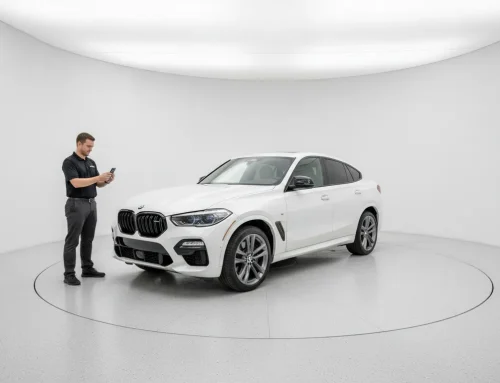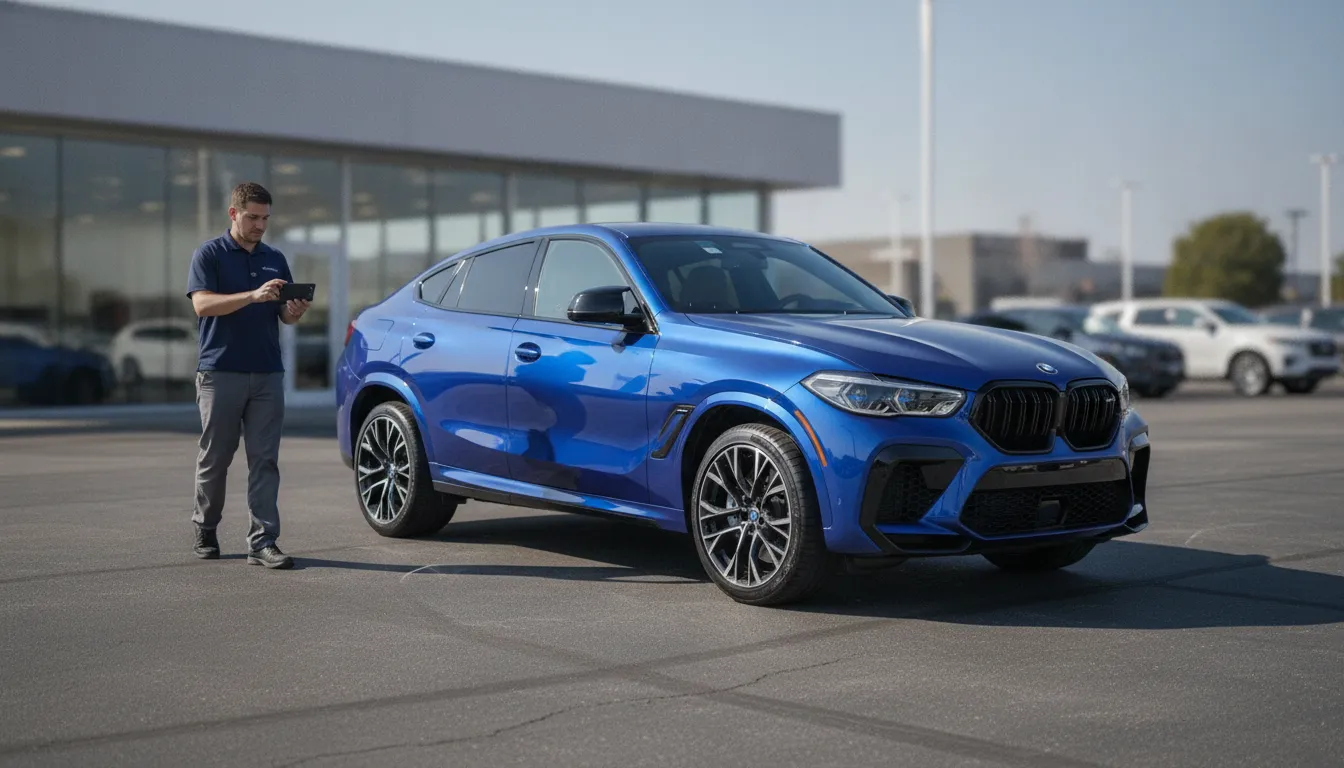
One outdoor walkaround can do more than record a car. With the right software, it can become listing photos and a spin, without rolling every unit into a studio. That matters when a store is tight on space, or when a group has to match photos across rooftops.
Call (214) 325-1665 to see a walkaround turned into listing photos.
Car walkaround video software can turn roughly one minute of exterior video into listing photos and a stabilized 360 spin. The set can include background replacement, automatic framing, closeups, and points of interest. EZ360 describes its CarMagic AI workflow as producing 4K exterior images and other presentation assets, but the software does not automatically replace every part of a merchandising team’s job.
Processing the video is not the same as capturing every shot a listing needs. An operator may still shoot the interior panorama, the detail photos, and the hard light calls. Know what the walkaround actually produces before you judge whether it fits your staff and your site.
What car walkaround video software produces
The value of CarMagic AI walkaround software is not the video file itself. EZ360 describes a one-minute walkaround as the source for a set of listing-ready media: a stabilized 360 spin, exterior still photographs, background replacement, closeups, and points of interest. The merchandising team then has more than one way to show the same vehicle on the dealer site.
A stabilized 360 spin
The software is meant to turn the phone footage into an exterior spin a shopper can turn. EZ360 says it stabilizes camera shake and can use one starting position regardless of where the video began. It also says the vehicle fills about 85% of the frame, so the car stays large instead of floating in empty space.
The environment shown behind the vehicle is a 3D digital showroom background. It includes a turntable graphic that turns with the vehicle, but that on-screen turntable is a digital background element, not the physical EZTurn table. That difference matters if you are comparing the software with a real turntable setup.
Exterior photos and a consistent presentation
From the same source video, the system is described as producing exterior pictures in 4K. Background replacement, or BGR, can be applied to exterior and interior pictures, including vehicle windows, according to the product page. The aim is a similar setting across the inventory, even when the cars were shot on different lots.
Closeups and points of interest
A listing needs more than a spin. The output can include closeups of points of interest, so shoppers are not stuck with one wide shot. EZ360’s software page also shows pictures with up to 8x zoom. Those assets build out the listing. The walkaround is still only the starting capture.
What a phone video does not replace
A walkaround is a flexible way to capture a car. It is not a stand-in for the whole photo process. It can start outdoors, on a phone, and turn one pass into listing media. The source video still shows the lot around the car.
Weather, pavement, shadows, reflections, and background activity can all appear in the original video. Software may steady the footage and replace the background. It cannot make every outdoor take look the same. A wet lot, low light, a crowded recon lane, or uneven framing can still show up in what the system has to process. Judge the workflow against each rooftop. Do not assume car walkaround video software removes every capture variable.
This path also does not hand you a full set of interior and detail photos. EZ360 describes its walkaround workflow as producing a stabilized 360 spin, exterior images, background changes, points of interest, and closeups. In a studio, an operator still shoots the interior panorama and the detail photos. Those shots cover the cabin, controls, tires, damage, and equipment that an exterior pass can miss.
A automated photo studio is the controlled-light option, with a fixed camera setup. It fits better when the same light, a real room, and a wider image set matter more than shooting on the lot. The right choice depends on what you must capture, who will run it, and where the work happens.
If the outdoor path fits, read how to shoot the walkaround for the capture steps. Background cleanup can improve the finish. It does not replace a clean source video, or the interior and detail work some listings still need.
When a walkaround fits and when a turntable still does
For a dealer owner, the practical choice is not which format sounds newer. It is where the capture workflow has to work. AI or a studio covers the wider choice. The conditions at each rooftop should still lead the call.
| Situation | Walkaround video software | Physical turntable in a studio |
|---|---|---|
| No dedicated photo room | An outdoor path skips a dedicated photo room. A staff member records the vehicle, and software turns that video into listing media. | Needs a studio, or a room that can hold the table, lights, cameras, and the daily workflow. |
| Mixed rooftops that need the same starting angle and framing | Useful when stores cannot share one physical setup. EZ360 says the software can use one starting view, no matter where the video began, and frame the vehicle the same way. | Fixed cameras and a repeatable table give a tighter start from car to car, if each site keeps a similar setup. |
| Trucks and weather that make outdoor video uneven | Flexible outdoors, but weather, light, reflections, and vehicle size still change the recording. It does not control those variables for you. | A studio gives the operator more predictable light for cars and trucks. The gear and the room still have to match the inventory. |
| High-volume recon where the same light and camera distance matter for every car | Can reduce the need to move every vehicle through a dedicated room. Consistency still depends on how staff capture each walkaround and on the outdoor conditions. | Fits a process built on the same light, the same camera distance, and the same vehicle position. See the EZTurn dealer turntable page for the separate hardware offering. |
Walkaround software is the flexible start when space, location, or moving the car is the constraint. A physical table and a studio make more sense when the group will standardize the room and run it the same way every day. They are separate choices. The software is an outdoor path. The studio and EZTurn are hardware. If the hardware is unfamiliar, start with what a car turntable is. Do not assume the two paths make media the same way.
Do not pick either option because of a promised sales lift. Cox Automotive’s 2025 Car Buyer Journey Study reported that 84% of shoppers who leaned into AI-powered online tools reported high satisfaction, based on a survey of about 2,300 recent buyers. That figure is about satisfaction with digital tools. It does not prove that one capture format lifts photo quality or sales. Use each rooftop’s space, mix, weather, staffing, and photo standard to make the call.
A dealer checklist for car walkaround video software
Before you roll out car walkaround video software, test the path from the phone to the vehicle page. A short pilot shows gaps a demo will miss.
-
Compare three representative vehicles. Shoot the same three vehicles outdoors: one car, one dark-colored vehicle, and one truck. Compare the resulting spin start angle, framing, and consistency across all three. The test should show different body shapes and paint colors, not only an easy example.
-
Separate automated assets from staff-captured assets. Confirm which media actually reaches the vehicle detail page, or VDP. Ask whether that includes exterior stills, a spin, and closeups. Then list what still needs a person. That includes the interior panorama, damage photos, and detail photos. Do not assume that a walkaround video replaces every capture step.
-
Test difficult backgrounds. Try background replacement around vehicle windows and on a wet or cluttered lot. Inspect edges, reflections, tires, and glass before approving the result. A digital showroom turntable is only a background graphic. It turns with the vehicle on screen. It is not physical turntable hardware.
-
Time the staff workflow honestly. Measure recording, review, extra photos, and fixes. That is the real staff step. Treat the result as your own pilot finding, not a promised minutes-per-car result. Also decide who owns the video workflow when the usual photographer is absent. A process without a backup owner can stall quickly.
-
Follow the media to the dealer site. Confirm the finished assets appear on the vehicle detail pages shoppers and sales staff actually open. Do not stop at a software dashboard or separate gallery that nobody links from inventory. Check several live listings and verify the correct media appears with the correct vehicle.
-
Make the studio decision by rooftop. Review weather, volume, staffing, and the photo standard you require at each location. One rooftop may do well outdoors. Another may still need a controlled studio. Decide location by location rather than treating every store in a group as operationally identical.
How a dealer group keeps listing photos consistent
A dealer group needs one photo standard, not just one software login. Each store can shoot on its own lot and still run the footage through the same steps.
Start with one approved view. Pick the angle that opens the listing, then use it at every store. Shoppers then see a familiar first frame as they move between rooftops.
The next standard is size in the frame. The vehicle should take up a similar share at every store. EZ360 says its software frames the car to about 85% of the display. That target keeps one car from looking much smaller than the next.
The background is the third standard. Some groups keep a clean lot. Others want one neutral digital setting so the brand matches. EZ360 says CarMagic AI can replace the background after processing. See this guide to AI background replacement for more context.
Those standards are what make car walkaround video software useful across a group. You are not erasing each store. You are making the vehicle presentation predictable.
Keep a human check before publishing
Software will not fix every capture problem. A phone video still depends on the person and the lot. Shadows, parked cars, a tight space, glare, or a missed panel can all show up in the final media.
Have someone review a small sample from each store every week. Check the opening view, the vehicle size, the background, the edges, and the image quality. If one store drifts, fix its capture notes before the mismatch spreads to new listings.
The review also shows where the standard needs a tweak. Some vehicle sizes, weather, or lot layouts need different capture notes. Write the exceptions down. Return to the approved look whenever the lot allows it.
See the walkaround on your own inventory
Bring two or three hard vehicles. A truck, a dark color, and a car in uneven light make a fair test. A short call can show what one walkaround becomes, and where a studio is the better fit.
Call (214) 325-1665 or request a quote.
Frequently Asked Questions
What does car walkaround video software create from one vehicle video?
It can turn a walkaround into exterior photos and a 360 spin. It can also steady the camera, replace the background, mark points of interest, and make closeups. EZ360 says its CarMagic AI workflow uses about a one-minute walkaround for these outputs. See the current software details.
Does the software replace a dealership photographer or studio?
Not in every store. Outdoor video can cut the need for a photo booth on exterior media. Someone still has to record the video and prep the car. A studio is still the separate option for fixed light. Interior panoramas and detail photos may still need a person.
Does one walkaround video automatically include an interior 360?
Do not assume it does. The video path described here is the exterior walkaround, the stills, and the spin. Interior panoramas and detail photos can take separate steps. That depends on the product setup and your process. Confirm the outputs before you choose a path.
What should a dealership evaluate before adopting this workflow?
Look at how your team shoots outdoors, handles weather, photographs interiors, checks quality, and gets media onto the listing. Compare that process with a studio. Do not treat the two as the same thing. Compare AI and automated studio approaches before deciding.